Getting SMM reseller pricing right is the difference between a panel that grows and one that stays busy but never makes money. Low prices bring orders; wrong prices bring orders that lose money once fees, refunds and support time are counted. This guide shows a simple way to set margins that hold up.
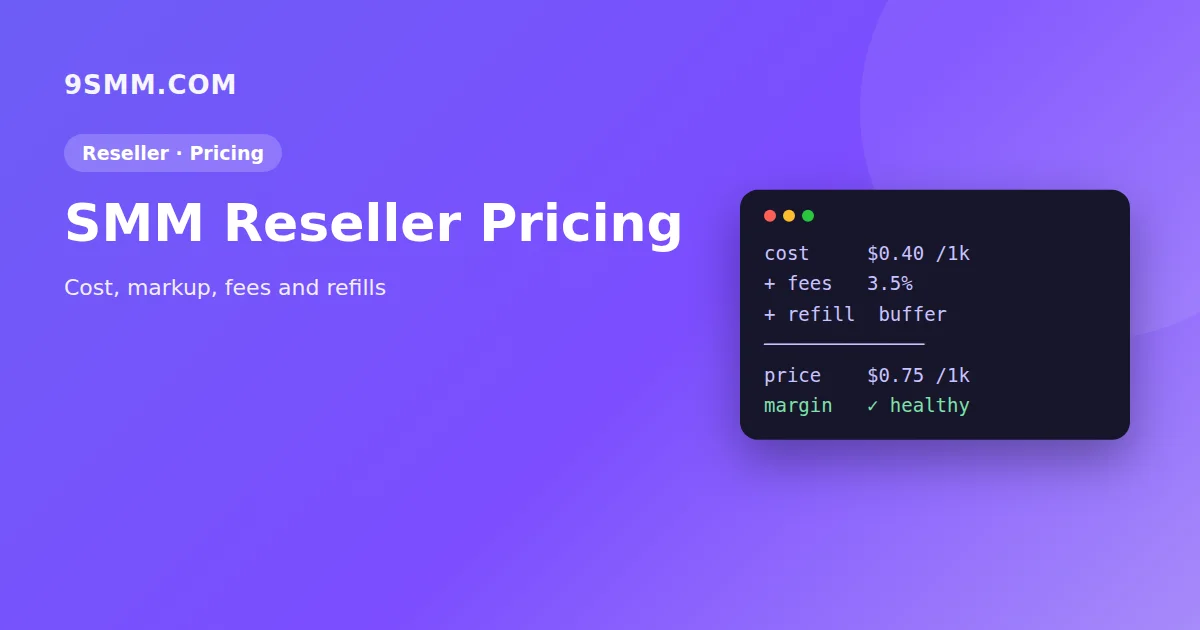
Step 1: Know your real cost per 1,000
Your provider's rate is only the starting point. Your real cost per 1,000 includes:
- Provider rate – what you pay per 1,000 units.
- Payment fees – gateways often take a percentage plus a fixed fee per deposit.
- Currency conversion – if you pay providers in USD but customers in another currency.
- Refunds and partials – the customer gets money back, but support time is still spent.
- Refills – services with refill cost you effort, and sometimes extra orders, later.
A quick formula:
Real cost = provider rate × (1 + payment fee %) + average refill/support cost
Even a rough estimate is better than pricing from the provider rate alone.
Step 2: Set markup by service type
Not every service deserves the same markup. Group services and price them by behaviour:
| Service type | Typical behaviour | Markup approach |
|---|---|---|
| Views, impressions | Cheap, high volume, few complaints | Low % markup, rely on volume |
| Likes, reactions | Medium price, occasional drops | Medium markup |
| Followers, subscribers, members | Drops, refill requests, more tickets | Higher markup, clear refill terms |
| Comments, custom services | Manual checks, slower | Highest markup |
A flat 50% markup on everything usually means you overcharge on cheap, high-volume services and undercharge on the ones that generate most support work.
Step 3: Set a minimum price floor
Very cheap services can have rates like $0.01–$0.05 per 1,000. A percentage markup on such tiny numbers earns almost nothing. Set a minimum selling price per 1,000 and a sensible minimum order size so small orders still cover the cost of processing.
Step 4: Price refill honestly
Refill services should cost more than no-refill versions of the same service – and the refill period should be clearly shown. If you promise 30-day refill, make sure your provider also offers at least 30 days. Our drip-feed and refill guide explains how refill works from the customer's side.
Step 5: Use a price list customers understand
- Put the price per 1,000, min, max, start time and refill in every service.
- Use clear names: platform, service, quality, refill.
- Hide services you can't support well. Fewer, reliable services beat a huge list of unstable ones.
Step 6: Review prices every month
Provider rates change, services go down and new ones appear. Once a month:
- Export orders per service and check gross margin after fees.
- Look at ticket volume per service – high support cost means the price is too low.
- Check partial and cancel rates – unreliable services cost trust.
- Compare your prices with the market, but don't simply copy the cheapest panel.
Worked example
Suppose you resell an Instagram followers service:
- Provider rate: $1.00 per 1,000
- Payment gateway fee: 4%
- Estimated refill and support cost: $0.15 per 1,000 (based on last month's tickets and refill requests)
Real cost = $1.00 × 1.04 + $0.15 = $1.19 per 1,000.
If you want a 40% gross margin on the selling price, the price is $1.19 ÷ (1 − 0.40) ≈ $1.98 per 1,000. Round to $1.99 and check it against the market. If competitors sell at $1.50, you have three options: accept a smaller margin, find a better provider, or compete on reliability and support instead of price.
Now compare a TikTok views service at $0.02 per 1,000. A 40% margin gives $0.033 – almost nothing per order. That's why a minimum price floor (Step 3) and minimum order size matter more for cheap services than the percentage.
Keep these calculations in a simple spreadsheet: provider rate, fees, support estimate, your price and margin per service. Update it every time a provider changes a rate.
Using a child panel or API provider
If you run a child panel, your services are connected to a parent provider through the standard SMM API. Your job is choosing services, setting prices and supporting customers. Our guide to choosing an SMM API provider covers stability, refill terms and API features to check, and how to start an SMM panel business covers the wider costs.
Pricing checklist for new services
Before you enable a new service on your panel, run through this list:
- Provider rate, minimum and maximum confirmed.
- Real cost per 1,000 calculated with fees and a support buffer.
- Selling price set with a margin that matches the service type.
- Minimum price floor applied for very cheap services.
- Refill period matches the provider's terms exactly.
- Clear name and description: start time, speed, refill, drip-feed.
- Test order placed on your own link before making the service public.
Common pricing mistakes
- Racing to the bottom – the cheapest panel also gets the most demanding customers.
- Ignoring fees – a 3–5% gateway fee can wipe out a thin markup.
- Same markup everywhere – see Step 2.
- Never updating – provider increases silently turn profitable services into losses.
- Unclear refill terms – leads to disputes and chargebacks.
FAQ
What is a good markup for an SMM panel?
There is no single number. Many resellers use lower markups on views and higher markups on followers and comments. Start from your real cost and support effort per service.
Should I match the cheapest competitor?
Only if your real cost allows it. Reliability, clear descriptions and fast support are what keep customers.
How often should I change prices?
Review monthly, and immediately when a provider changes a rate.
Should I offer discounts to big resellers?
Yes, if volume lowers your cost per order – for example fewer tickets per dollar spent. Offer tiered pricing or a deposit bonus rather than cutting list prices for everyone, and make sure discounts still leave you above your real cost after fees.